
Lua Packages
Since LMTools makes use of Lua as an extensible scripting interface, it is important how to make use of various lua packages. Let's take a specific example, how to do AES encryption and deryption using Lua, which is quite useful during web authentication in various cases.
First of all make sure you are with Lua 5.1 or Lua5.2. By default as of February 2023, if I install lua in my Ubuntu 18 system it installs Lua5.3. Lot of external modules still not compatible with Lua5.3 hence lets go with Lua5.1. I first uninstalled Lua5.3 and installed Lua5.1. To do this you can search in google and execute the commands using apt command.
sudo apt remove lua5.3
In my case, by deafult it pointed to lua5.1, probably it was installed previously. If lua5.1 is not there in system, lets install using command below
sudo apt install lua5.1
There are several encryption packages as listed below.
aes_everywhere by mervick — downloads: 256
Cross Language AES256 Encryption Library. Lua implementation
bgcrypto-aes by moteus — downloads: 3,906
AES encryption library
AesFileEncrypt by moteus — downloads: 841
A simple file encryption library
lua-resty-crypto by moorefu — downloads: 55
ZipWriter by moteus — downloads: 9,501
Library for creating ZIP archive for Lua
luagcrypt by Lekensteyn — downloads: 49.7k
A Lua interface to the Libgcrypt library
sqlcipher by z7z8th — downloads: 124
SQLCipher is a security extension to SQLite3 database library
lua-easy-crypto by szeist — downloads: 2,881
Simple interface for password based AES-256-GCM encryption and decryption.
Cross Language AES256 Encryption Library. Lua implementation
bgcrypto-aes by moteus — downloads: 3,906
AES encryption library
AesFileEncrypt by moteus — downloads: 841
A simple file encryption library
lua-resty-crypto by moorefu — downloads: 55
ZipWriter by moteus — downloads: 9,501
Library for creating ZIP archive for Lua
luagcrypt by Lekensteyn — downloads: 49.7k
A Lua interface to the Libgcrypt library
sqlcipher by z7z8th — downloads: 124
SQLCipher is a security extension to SQLite3 database library
lua-easy-crypto by szeist — downloads: 2,881
Simple interface for password based AES-256-GCM encryption and decryption.
Now let's setup the development environment for lua5.1 so that if required, we can install the lua modules either using luarcoks or through direct build.
sudo apt-get install lua5.1-dev
sudo apt-get install luarocks
sudo apt-get install luarocks
I found the aeslua package listed in https://github.com/bighil/aeslua is quite useful, downloaded aeslua-master.zip. After unzip, go to aeslua-master folder. Open the Makefile and change the LIBDIR to /usr/local/lib/lua/5.1 and save it. Now do make install to install the aeslua package.
It has dependency on bit module. Download the bit module LuaBitOp-1.0.2.zip from git, unzip and build it. Next you will get bit.so and place it in right place. For me I had to place bit.so at /usr/lib/x86_64-linux-gnu/lua/5.1 path and ldconfig.
Thats all. Now you are ready to test lua aes.
How to test it?
Use below code to test it.
#!/usr/bin/lua5.1

require("aeslua");
local util = require("aeslua.util");

math.randomseed(os.time());

function testCrypto(password, data)

--local modes ={aeslua.ECBMODE, aeslua.CBCMODE, aeslua.OFBMODE, aeslua.CFBMODE};
local modes ={aeslua.CBCMODE};

--local keyLengths =  {aeslua.AES128, aeslua.AES192, aeslua.AES256};
local keyLengths =  {aeslua.AES128};

for i, mode in ipairs(modes) do
for j, keyLength in ipairs(keyLengths) do
print("--");
            cipher = aeslua.encrypt(password, data, keyLength, mode);
            print("Cipher: ", util.toHexString(cipher));
            plain = aeslua.decrypt(password, cipher, keyLength, mode);
            print("Mode: ", mode, " keyLength: ", keyLength, " Plain: ", plain);
            print("--");
        end    end
end

--testCrypto("sp","hello world!");

testCrypto("longpasswordlongerthant32bytesjustsomelettersmore", "hello world!");
WebRTC Load Testing
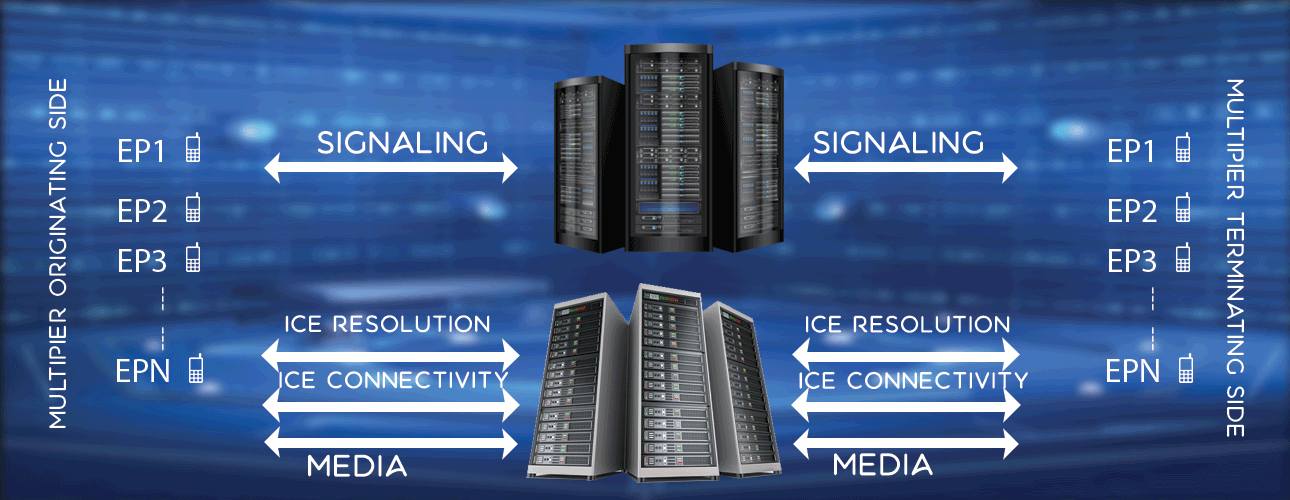
Features
Signalling SIP, IMS, JSON, HTTP
Media PCMA, PCMU, AMR, OPUS, VP8
Security TLS, SRTP/DTLS, Websocket
Features , Syntax , Example
Performance, Capability
Machine Desktop 2.4 GHz, 8 GB RAM
Memory/Endpoint 12Kb
Rating 1 100,000 endpoints, 15 CPS, 15 sec call
Rating 2 3600 endpoints, 120 CPS, 15 sec call
Cost, Packages
Check cost, packages here.